Migrating from PrestaShop 1.7 / 8 to PrestaShop 9: Structured Engineering Approach
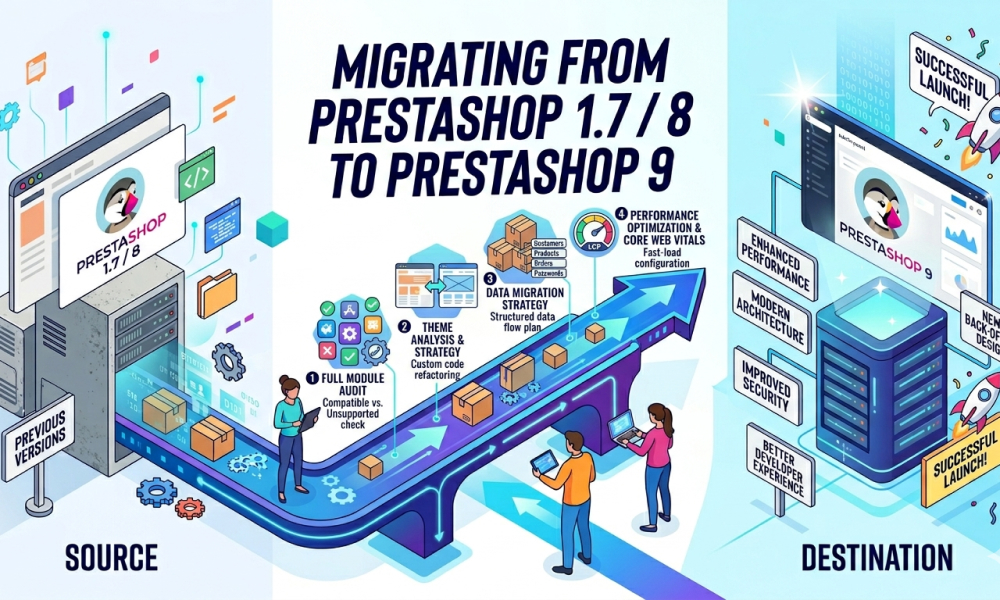
The transition from PrestaShop 1.7 or PrestaShop 8 to PrestaShop 9 by SoftSprint should not be interpreted as a routine upgrade. It is a partial architectural migration driven by the continued evolution of the platform toward a modern stack based on Symfony, stricter separation of concerns, and improved performance expectations.
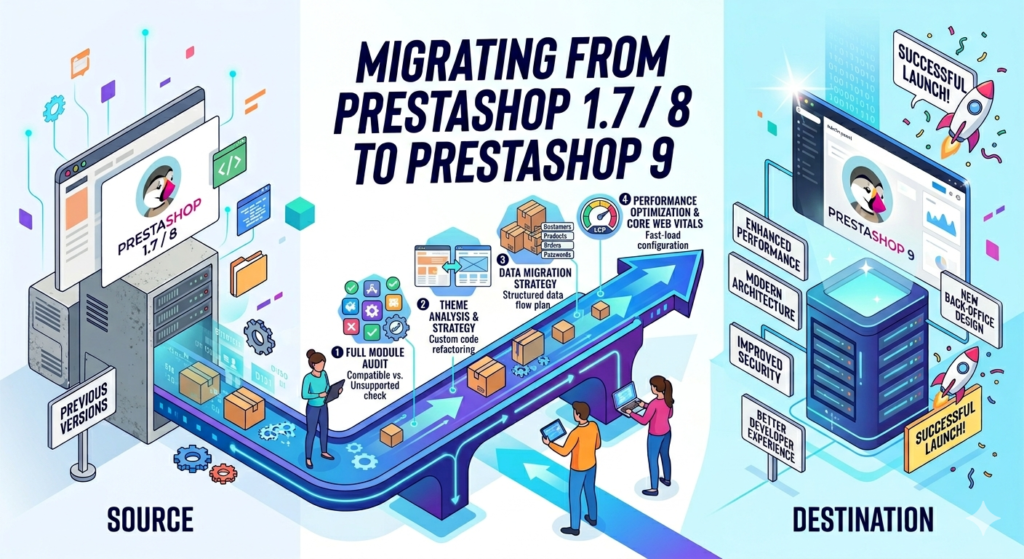
This article presents a systematic, engineering-oriented migration methodology, including module audit, theme analysis, data migration strategies, and performance optimization aligned with modern web standards such as Core Web Vitals.
1. Why PrestaShop 9 Is a Structural Transition, Not Just a Version Upgrade
PrestaShop has been undergoing a long-term transition from a legacy monolithic architecture to a hybrid model combining:
- legacy components (ObjectModel, Smarty, hooks)
- modern Symfony-based architecture (controllers, services, DI container)
PrestaShop 9 continues this trajectory with:
- deeper Symfony integration (controllers, routing, services)
- increased reliance on dependency injection (
services.yaml) - gradual replacement of legacy controllers
- internal adoption of CQRS-like patterns (Command/Query separation)
- stricter expectations for module compatibility
Implication
A direct upgrade path (e.g., using 1-Click Upgrade) is often:
- technically unstable
- difficult to debug
- hard to maintain post-migration
Therefore, the migration must be treated as a controlled system transformation.
2. Architectural Differences That Directly Impact Migration
2.1 Legacy vs Modern Execution Model
In PrestaShop 1.7 / 8:
- Hybrid architecture:
- Legacy:
FrontControllerModuleFrontControllerObjectModel
- Modern:
- Symfony controllers (
src/Controller) - Twig (Back Office)
- Symfony controllers (
- Legacy:
In PrestaShop 9:
- Expanded Symfony layer:
- routing via Symfony
- service-based architecture
- increased usage of controllers under
src/
Critical Risk
Modules relying on:
class CustomController extends ModuleFrontControllermay require:
- refactoring to Symfony controllers
- or compatibility layer validation
2.2 Hook System Evolution
The hook system remains, but:
- some hooks are deprecated
- payload structure may differ
- execution context may change
Example:
Hook::exec('displayHeader');Potential issues:
- hook no longer triggered in same context
- different parameters passed
- conflicts with Symfony event system
Recommendation
- validate hooks via runtime logging
- check compatibility with PS9 documentation
- replace with event subscribers when appropriate
2.3 Overrides: The Most Fragile Layer
Overrides (/override/classes, /override/controllers) are:
- difficult to maintain
- often incompatible with modern architecture
- a primary source of migration failures
Recommendation
- eliminate overrides where possible
- replace with:
- hooks
- services
- decorators (Symfony)
2.4 Database Layer Considerations
Core tables remain largely stable:
ps_productps_categoryps_ordersps_customerps_configuration
However:
- schema evolves (indexes, constraints)
- Doctrine integration increases
- raw SQL assumptions may break
Typical Risk
Db::getInstance()->execute("SELECT * FROM ps_product WHERE ...");Issues:
- missing joins due to new relations
- performance regressions
- incompatibility with new indexing
3. SoftSprint Migration Methodology
A successful migration is not code-first — it is analysis-first.
Stage 1. Full Module Audit
This is the most critical phase.
3.1 Extracting Active Modules
From database:
SELECT m.name, m.active
FROM ps_module m
JOIN ps_module_shop ms ON m.id_module = ms.id_module
WHERE m.active = 1;
Additionally:
ps_hook_module→ mapping to hooks- filesystem →
/modules/*
3.2 Structured Audit (Google Sheets Model)
Each module is evaluated across multiple dimensions:
| Module | PS9 Compatibility | Alternative | Type | Estimated Effort |
|---|---|---|---|---|
| payment_x | Yes | — | official | 0h |
| filter_y | No | filter_z | replacement | 6–10h |
| custom_logic | No | — | custom | 20–60h |
3.3 Module Classification
A. Official Marketplace Modules
- check vendor support
- verify version constraints
- test in isolated environment
B. Unsupported / Deprecated Modules
Options:
- replace with maintained alternatives
- reimplement minimal functionality
C. Custom Modules
Evaluate:
- hooks usage
- overrides
- controllers
- DB interactions
- dependencies
Key patterns to inspect:
class MyModule extends Module- use of legacy controllers
- direct SQL
- overrides
3.4 Output of Stage 1
- complete dependency map
- effort estimation
- risk identification
👉 This stage defines project feasibility and budget accuracy.
Translate all in one using ChatGPT SEO translation – PrestaShop module
Stage 2. Theme Analysis and Strategy
4.1 Compatibility Check
Key questions:
- is there a PS9-compatible version?
- is it based on Classic Prestashop theme?
- how deeply customized is it?
4.2 Theme Structure Analysis
Directories:
/themes/mytheme/templates/
/themes/mytheme/modules/
/themes/mytheme/assets/
Key components:
- Smarty templates
- JS (often jQuery-heavy)
- CSS architecture
4.3 Core Risks
- heavy Smarty overrides
- custom checkout flows
- outdated JS stack
- inline logic in templates
4.4 Strategy Options
Option 1 — Upgrade Theme
(if officially supported)
Option 2 — Adapt Theme
(partial refactor)
Option 3 — Rebuild Theme
(recommended for long-term stability)
4.5 Customization Mapping
Every customization is evaluated:
| Area | Type | Migration Complexity |
|---|---|---|
| header.tpl | layout | low |
| checkout.tpl | logic-heavy | high |
| JS overrides | behavioral | medium |
Stage 3. Data Migration Strategy
5.1 Core Entities
- Products →
ps_product - Categories →
ps_category - Orders →
ps_orders - Customers →
ps_customer - CMS →
ps_cms
5.2 Migration Approaches
A. ETL (Recommended)
- Extract → Transform → Load
- controlled mapping
- validation at each step
B. Full Database Dump
Advantages:
- faster
Risks:
- schema mismatch
- corrupted relations
- hidden inconsistencies
5.3 Critical Constraints
ID Preservation
- product IDs
- category tree integrity
SEO Preservation
link_rewrite- URL structure
- 301 redirects
5.4 Orders Migration Complexity
Challenges:
- payment module differences
- status mapping
- historical data integrity
5.5 Customers
- password hashing compatibility
- GDPR compliance fields
Stage 4. Performance Optimization and Core Web Vitals
Migration is an opportunity to fix long-standing performance issues.
6.1 Target Metrics
- LCP < 2.5s
- CLS < 0.1
- INP < 200ms
6.2 Backend Optimization
- Redis / Memcached caching
- optimized SQL queries
- reduced DB calls
- Symfony cache warmup
6.3 Frontend Optimization
- critical CSS
- lazy loading
- JS deferring
- asset bundling
6.4 PrestaShop-Specific
- Smarty cache tuning
- CCC (Combine, Compress, Cache)
- disabling unnecessary hooks
6.5 Infrastructure
- PHP 8.2+
- OPcache
- HTTP/2 or HTTP/3
- CDN usage
7. Typical Migration Failures
- excessive overrides
- unsupported modules
- legacy checkout customizations
- broken hooks
- database inconsistencies
8. Engineering Conclusion
Migration to PrestaShop 9 is best understood as:
a controlled system refactoring under production constraints
The success factors are:
- exhaustive module audit
- realistic theme strategy
- structured data migration
- performance-first mindset
9. Strategic Insight
The real value of migration is not version alignment, but:
- reduced technical debt
- improved maintainability
- higher performance
- future compatibility