Cloudflare R2 for PrestaShop: A Complete Guide to Media Storage and CDN Delivery

A growing PrestaShop store needs more than space for products in its database. Every new collection brings product photographs, thumbnails, category banners, brand logos, and other files that customers download while browsing. Over time, this media library can become a substantial part of the store hosting workload.
Cloudflare R2 offers a practical way to separate public media storage from the server running PrestaShop. Combined with Cloudflare CDN and a suitable integration, it can reduce media traffic on the original hosting server and make delivery costs easier to plan.
For merchants, R2 strongest commercial feature is the absence of outbound data transfer charges from R2. For developers, its S3-compatible interface provides a familiar way to manage objects. For a production storefront, the configuration of public URLs, caching, synchronization, and recovery determines whether these advantages translate into a useful result.
This guide explains how to approach that setup with SoftSprint Amazon AWS S3 CDN & Cloudflare R2 media server module for PrestaShop.
Why media delivery becomes a challenge for PrestaShop stores
A product catalog can generate far more files than its product count suggests. A hypothetical store with 20,000 products, four photographs per product, and six generated sizes for each photograph could have 480,000 derivative images, before counting originals and other assets.
That example is illustrative, but it highlights an important planning issue: product counts alone are a poor measure of storage and migration requirements. Merchants should also consider image sizes, generated formats, duplicate files, and how frequently the same assets are requested.
When the application and its media share one hosting environment, a campaign can increase several workloads together. PrestaShop generates pages and processes carts while the server also delivers product photographs and static assets. The practical impact depends on the web server, hosting limits, cache configuration, and audience.
Before changing infrastructure, identify the actual bottleneck. If HTML responses are slow because of database queries, moving photographs will leave that problem to be addressed separately. If media bandwidth and static file delivery are consuming hosting resources, offloading those files becomes a more relevant intervention.
What Cloudflare R2 does in a PrestaShop architecture
R2 is object storage. Files are stored as objects inside buckets, with an object key identifying each file. A bucket might contain a product photograph at a key such as img/p/1/2/3/123-home_default.jpg.
For storefront delivery, distinguish three responsibilities:
| Component | Responsibility |
| PrestaShop hosting | Runs PHP, database access, store pages, accounts, carts, and checkout |
| Cloudflare R2 | Stores the selected media objects |
| Cloudflare CDN | Can cache eligible public assets and deliver cached responses from its edge network |
Cloudflare documents that edge caching can serve reads without retrieving the object through the R2 Gateway on every request. Performance still depends on access patterns and configuration. Uploading files to a bucket should therefore be treated as the storage step; validating their delivery is a separate step. Cloudflare R2 architecture
A useful implementation goal is straightforward: keep commerce logic on the application server, store selected public assets in R2, and publish stable media URLs that can be cached appropriately.
Why Cloudflare R2 deserves consideration
A different cost profile for image-heavy stores
Media economics depend on both the size of the library and the volume of delivery. A relatively modest collection of photographs may be downloaded repeatedly during a successful advertising campaign.
Removing an outbound transfer charge changes the cost model for that workload. However, a useful business comparison should still include storage, operations, implementation time, maintenance, and any additional services.
For an existing store, start with actual usage reports. Estimate how much traffic would move away from hosting, whether that changes the hosting bill, and how much operational work the new arrangement requires. A technical reduction in traffic does not automatically produce an immediate invoice reduction on a fixed hosting plan.
Independent management of application and media
Separating media from the store application can make future infrastructure decisions easier. For example, an application hosting migration need not require changing the public media hostname if that hostname is already managed independently.
This is an architectural benefit to plan for. It requires a consistent path structure and documented ownership of the domain, bucket, credentials, and synchronization process.
An S3-compatible integration path
R2 implements an S3-compatible API, although compatibility does not cover every AWS S3 feature. Its standard S3 endpoint uses the account ID, and its API region value is auto. These details matter when configuring compatible tools or troubleshooting an integration. R2 S3 API compatibility
Compatibility makes existing workflows worth evaluating; it does not remove the need to test their particular API calls, metadata handling, and URL generation.
What the SoftSprint module supports
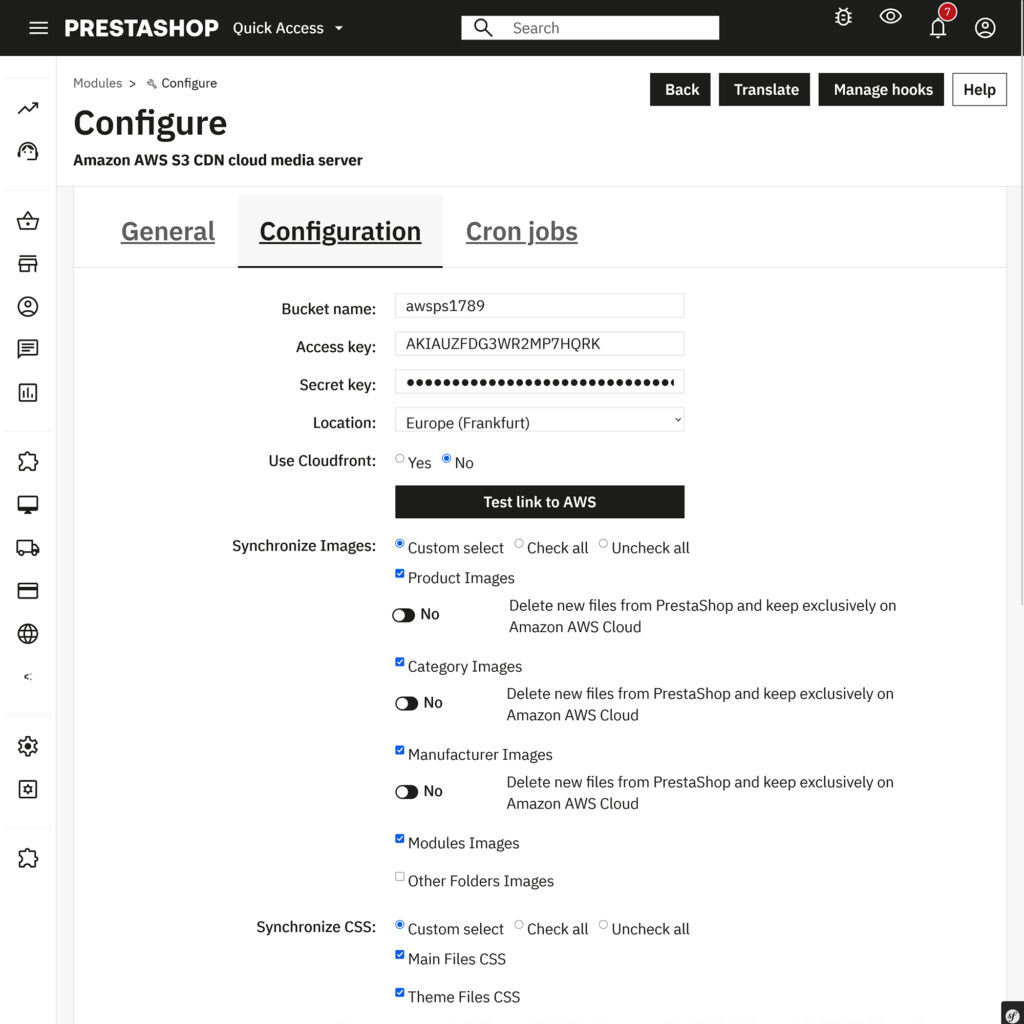
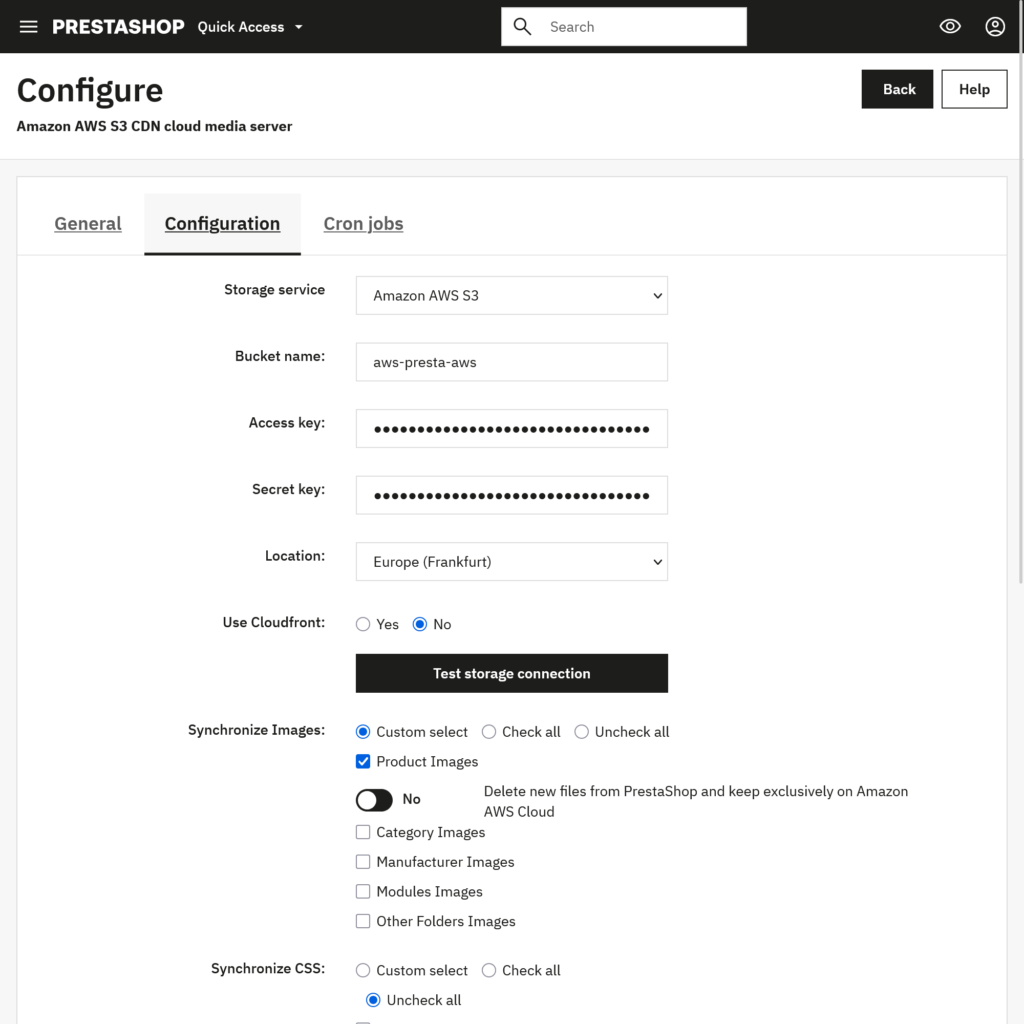
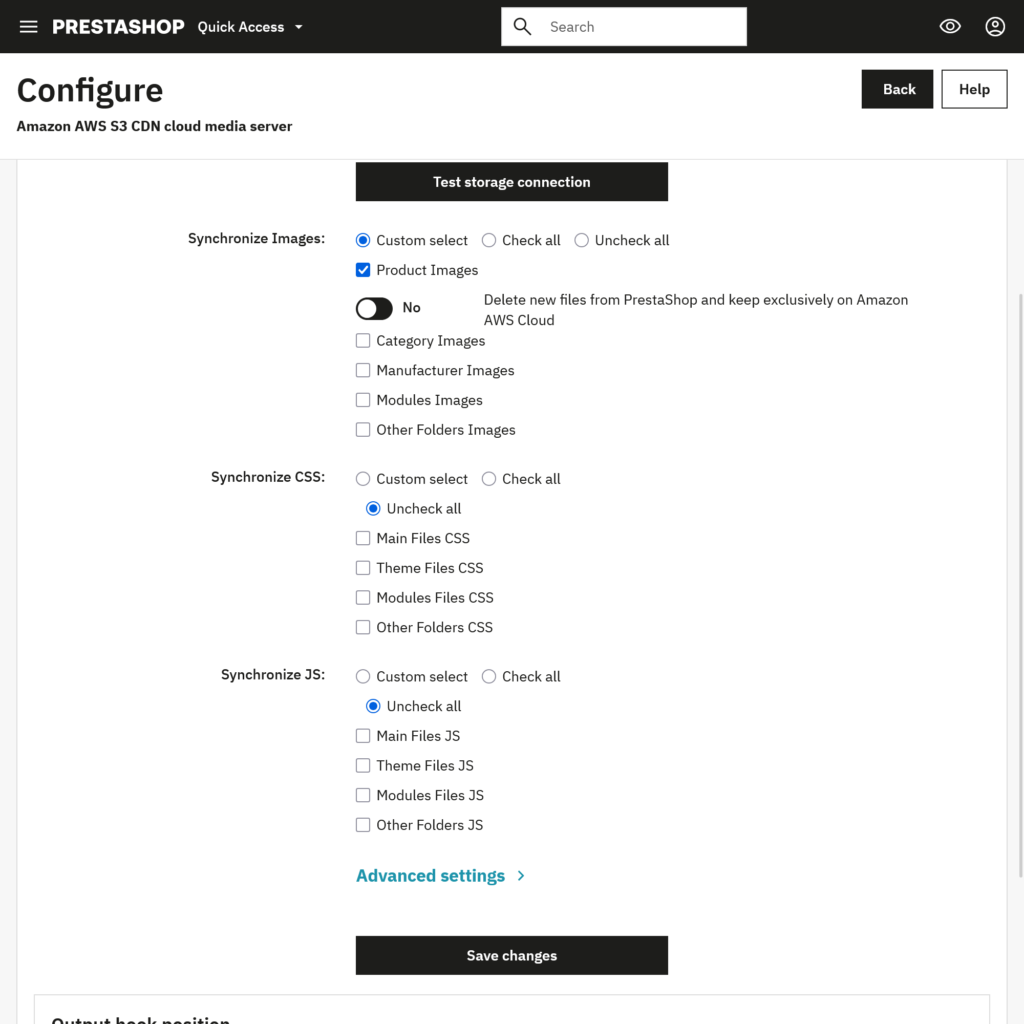
SoftSprint module supports AWS S3 and Cloudflare R2, with compatibility listed for PrestaShop 1.7. – 9.x. It lets administrators select supported front-office images, CSS, and JavaScript by category and extension, and updates asset source URLs according to the configured file location.
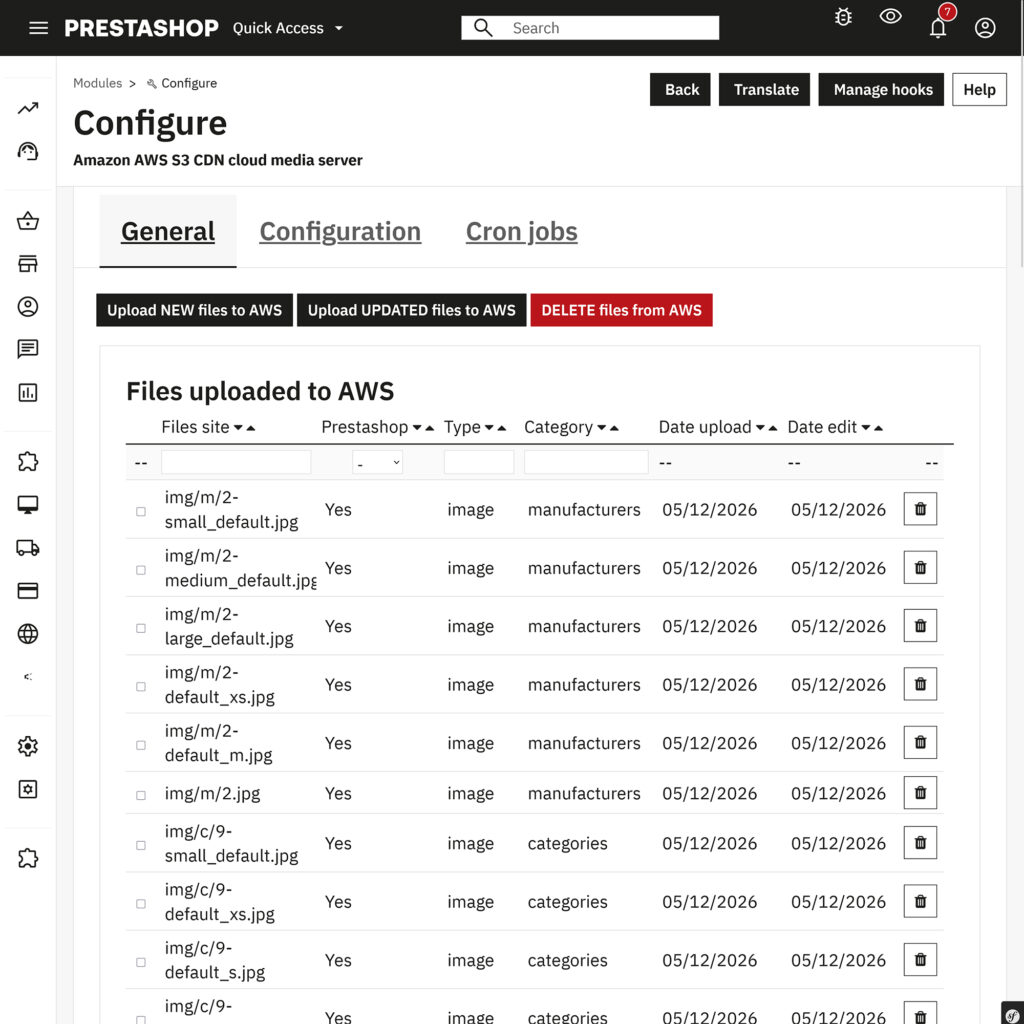
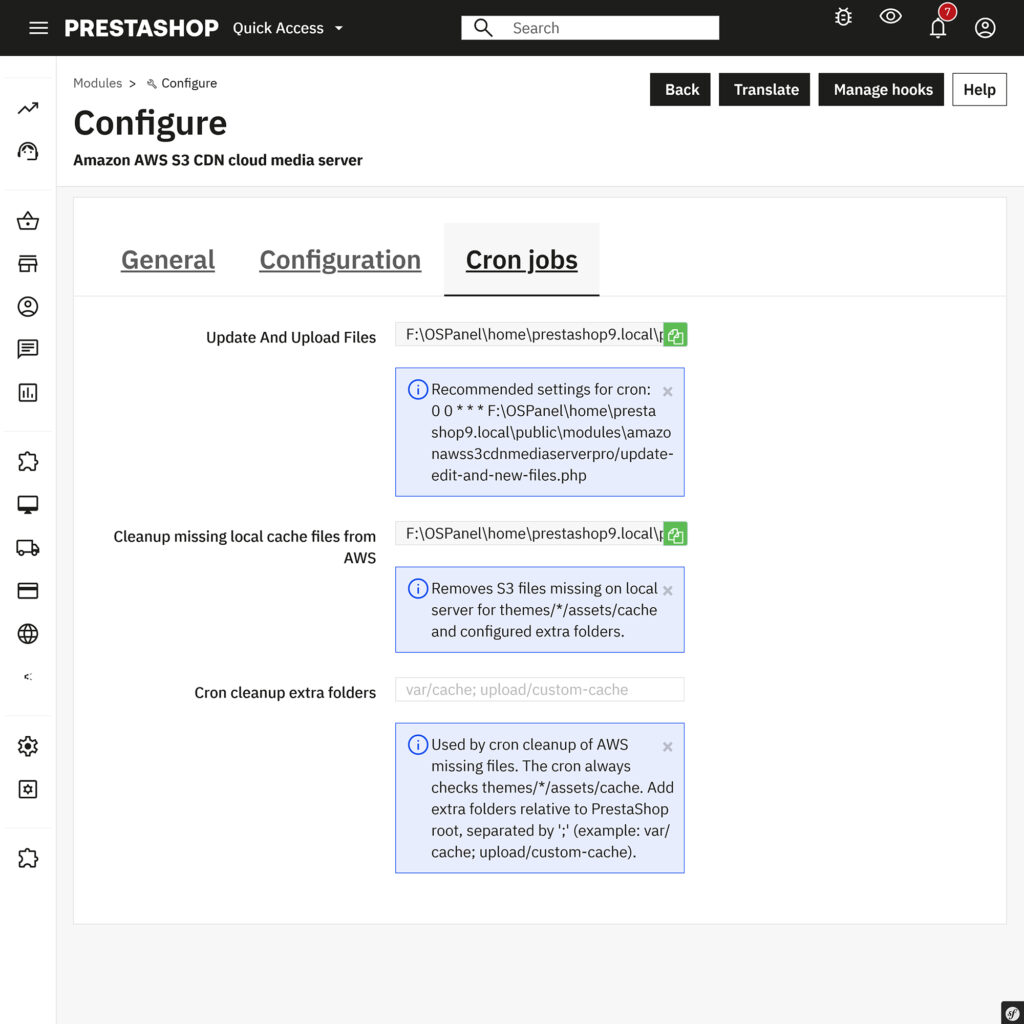
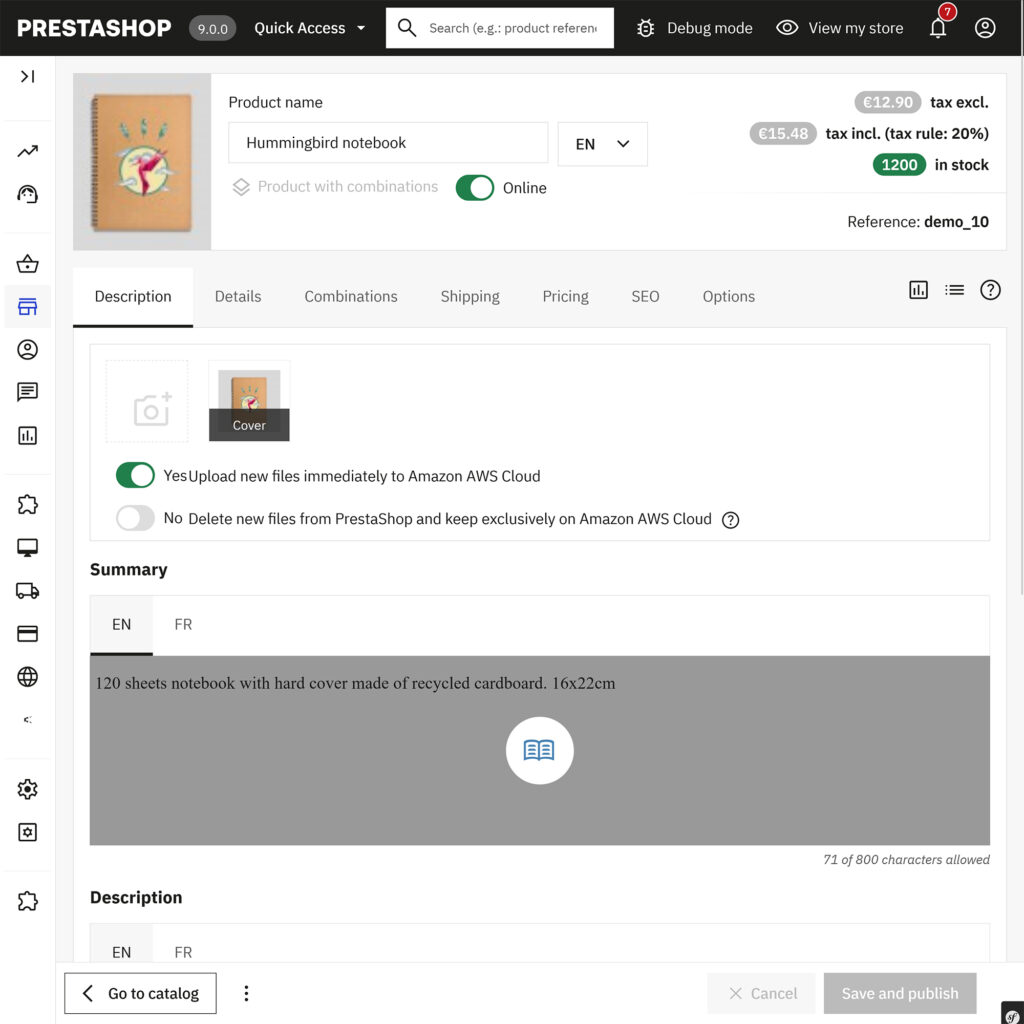
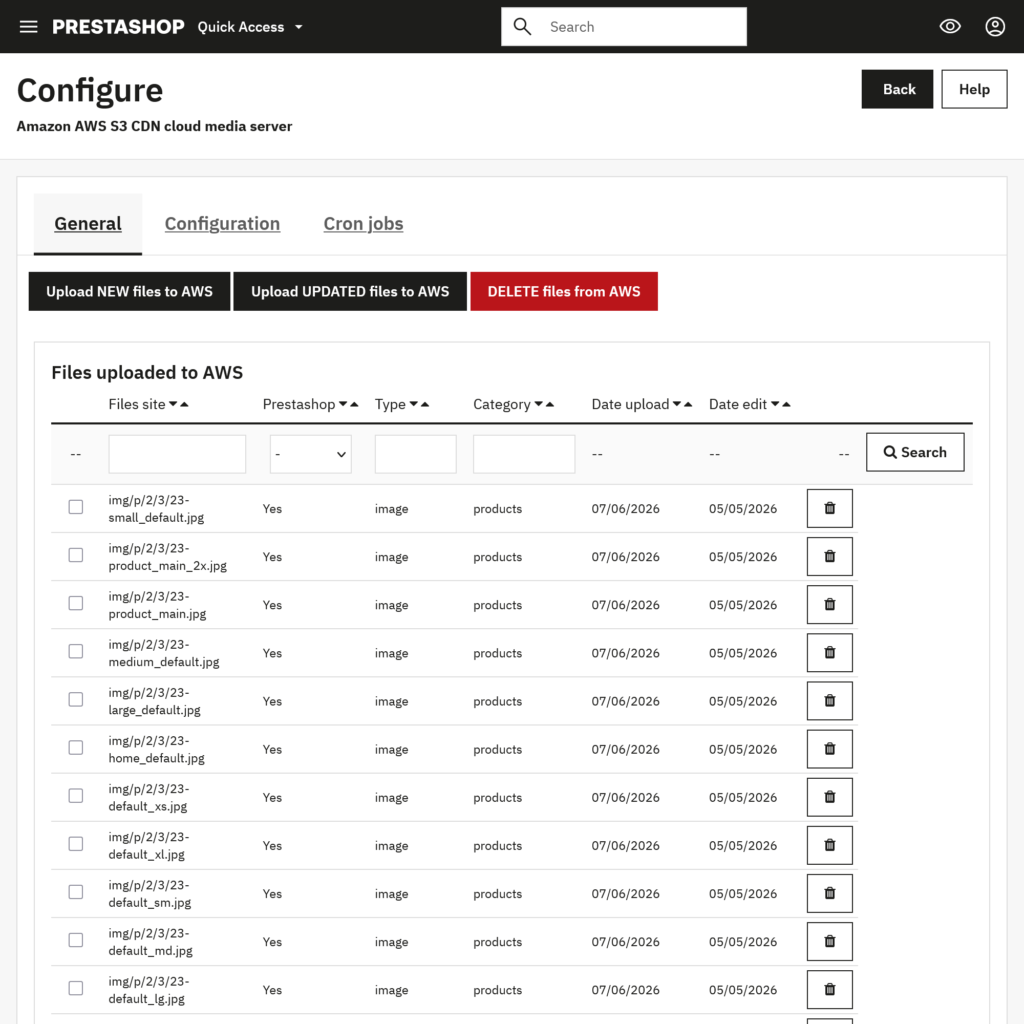
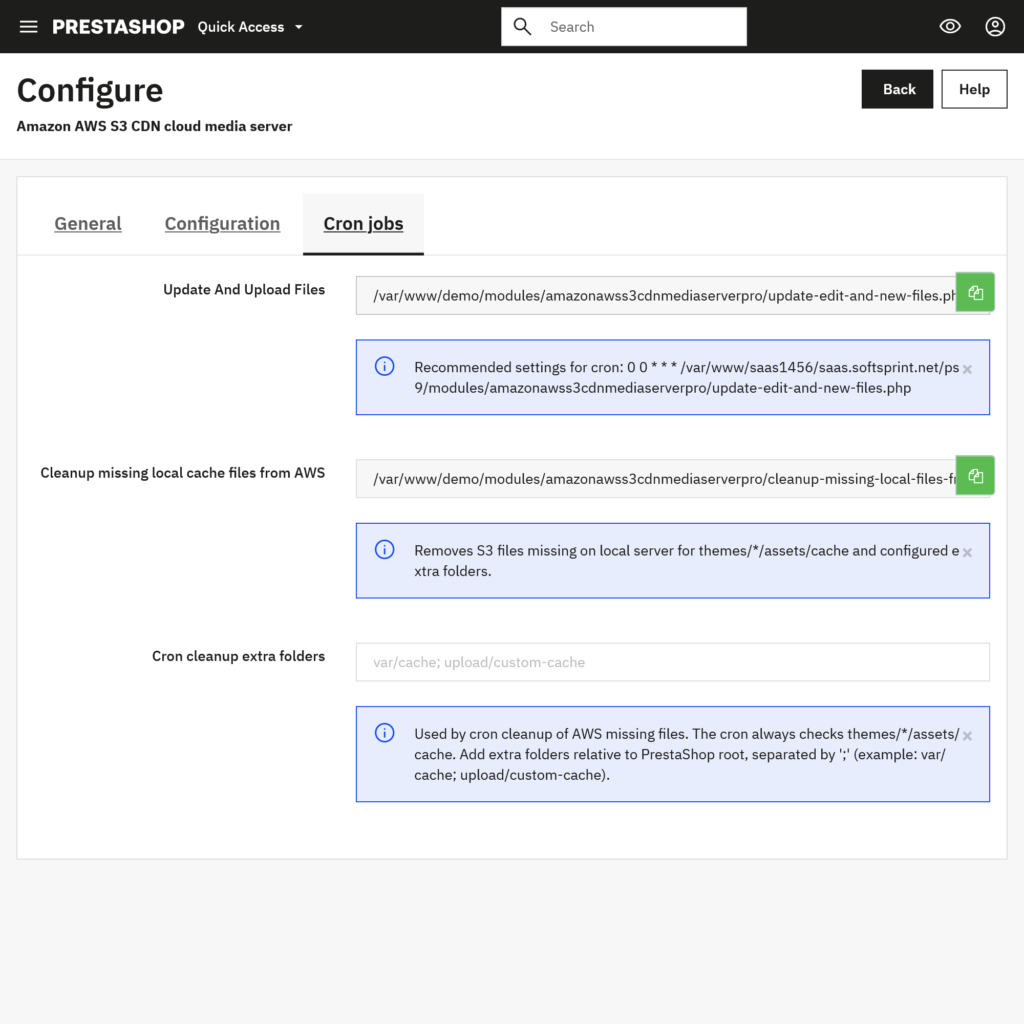
Its documented controls include uploading new or updated files, managing selected files, returning files to hosting, and configuring stores individually in a multishop installation. R2 connection fields include the bucket name, access key, secret key, account ID, and public CDN domain. The documentation also describes command-line synchronization for scheduled execution.
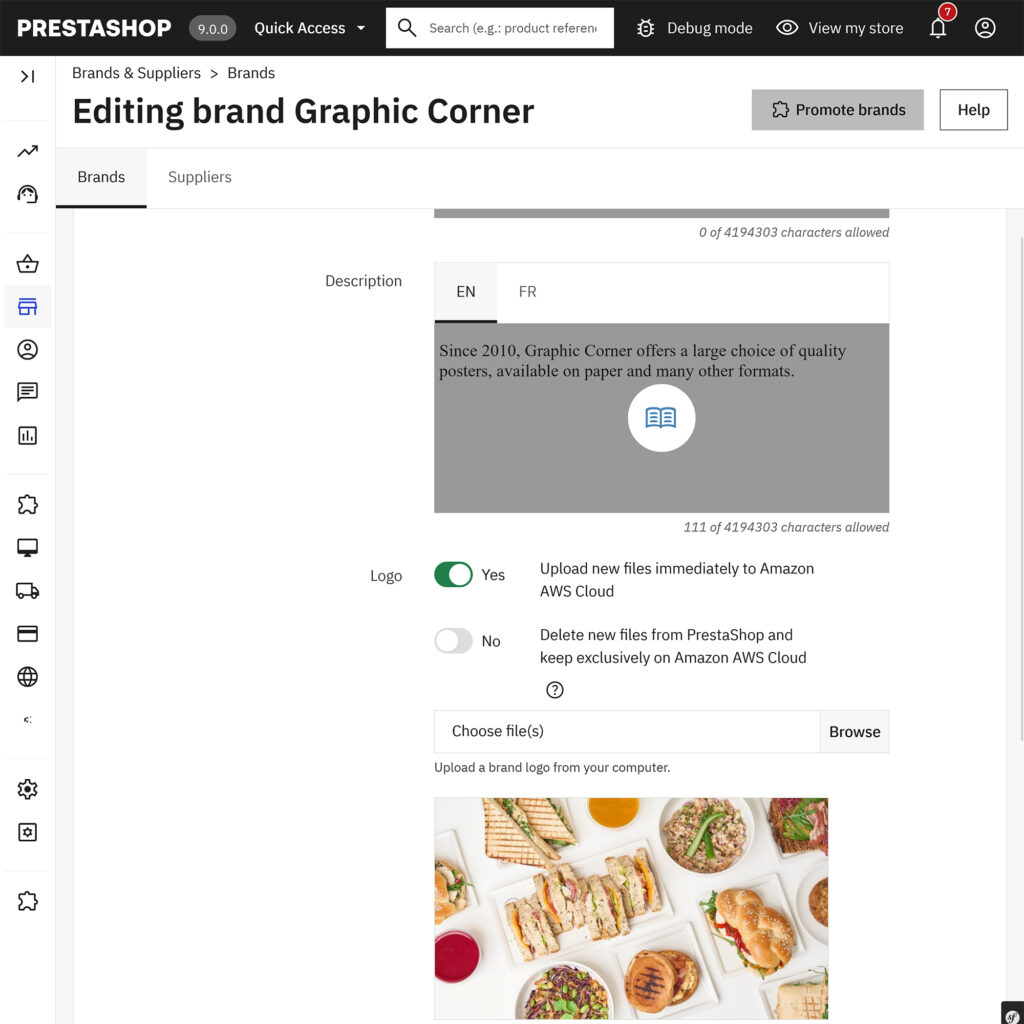
These capabilities provide a starting point for a selective rollout. Confirm the installed module version and test the store theme, third-party modules, imports, and image generation workflow before expanding the migration. Module details and documentation
The remainder of this guide describes deployment recommendations. Cloudflare configuration, cache policy, backups, and performance verification are separate implementation tasks rather than implied automatic module features.
Understanding Cloudflare R2 pricing
As checked on 31 October 2026, R2 Standard pricing is:
| Item | Published price or monthly allowance |
| Storage | $0.015 per GB-month |
| Class A operations | $4.50 per million |
| Class B operations | $0.36 per million |
| Outbound data transfer from R2 | No egress charge |
| Standard free allowance | 10 GB-month, 1 million Class A operations, 10 million Class B operations |
Class A includes writes and listings; Class B includes reads and object metadata checks. Allowances apply to eligible account usage, not separately to every store. Cloudflare R2 pricing
For illustration, assume constant storage of 100 GB-month, available free allowances, 500,000 Class A operations, and 15 million Class B operations. Storage is $1.35; billable Class B usage is $1.80; Class A remains within its allowance. The estimated R2 subtotal is $3.15.
This is a hypothetical calculation, not a store quotation. Billing rounds usage to specified units; additional products, taxes, and implementation are excluded. Check current rates before budgeting. Browser requests and billable R2 operations are different counts, particularly when assets are served from cache.
Choosing a storage class
Standard storage is designed for frequently accessed data and is a sensible starting point for active storefront assets. Infrequent Access has retrieval charges and a 30-day minimum storage duration. Its lower storage rate should therefore be assessed against the complete access pattern. R2 storage classes
For a live catalog, avoid selecting a storage class solely because its storage price is lower. Begin with a simple configuration, collect usage data, and review the decision once the workload is understood.
Cloudflare R2 and Amazon S3 for PrestaShop
Both approaches can separate file storage from the application server. AWS documents using CloudFront to cache frequently requested S3 content near users and reduce direct storage requests. R2 can be paired with Cloudflare Cache for a comparable separation of storage and delivery responsibilities. AWS S3 performance guidance
| Decision factor | What to evaluate |
| Current infrastructure | Existing AWS or Cloudflare services, permissions, and team experience |
| Delivery economics | Current provider charges, caching, storage, and operation volume |
| Required features | Actual API calls and service features used by the store |
| Migration effort | Object count, source transfer costs, metadata, and URL mapping |
| Ongoing operations | Deployment, synchronization, monitoring, backup, and recovery |
An established S3 and CloudFront deployment should be assessed using its real bill and measured performance. A new project has more freedom to choose around the expected workload. In both cases, the aim is a reliable, understandable operating model.
How to connect Cloudflare R2 to PrestaShop
1. Inventory the files and establish a baseline
Record the size and number of files you intend to offload. Identify which are generated, which are original uploads, and which are required by imports or administrative workflows.
Measure representative pages before making changes: the homepage, a large category, a product with several images, and pages containing third-party widgets. Record media request counts, errors, transfer sizes, and response times under consistent test conditions.
Keep a restorable backup and test on a staging copy where possible. Staging should resemble production closely enough to reveal problems with paths, HTTPS, image sizes, and theme dependencies.
2. Create a dedicated R2 bucket
Enable R2 in the appropriate Cloudflare account and create a bucket for the store public assets. Use a name that identifies the project and environment, such as example-store-media-production.
Bucket names must follow Cloudflare naming rules; a newly created bucket is not publicly accessible by default. Cloudflare supports dashboard creation and command-line tooling. Creating R2 buckets
For operational clarity, keep staging and production separate. Do not place customer exports, private downloads, database backups, or credentials in the bucket intended for public product media.
3. Create restricted R2 credentials
Generate credentials using R2 API token workflow. An integration that uploads and reads objects generally needs object read and write access scoped to its intended bucket. Capture the Access Key ID and Secret Access Key securely, and record the Cloudflare account ID separately. Account IDs identify the account, rather than an individual bucket. R2 authentication and permissions
Store these credentials in the integration server-side configuration. They should never be inserted into a theme template, public JavaScript, a product description, or a screenshot intended for publication.
Use separate credentials for separate environments when practical. This makes it easier to replace staging credentials without changing production.
4. Connect a production media domain
A hostname such as media.example.com gives the store a recognizable, stable media address. Connect it through the bucket Custom Domains settings. Cloudflare requires the domain zone to be present in the same account as the R2 bucket.
Use a custom domain for production caching. Cloudflare r2.dev endpoint is intended for development, and enabling it is not required when connecting a custom domain. Wait for the hostname to become active and test HTTPS before configuring storefront delivery. Public buckets and custom domains
Do not confuse the public media hostname with the authenticated S3 API endpoint. One is used by visitors to retrieve public files; the other is used by tools and integrations to manage objects.
5. Configure the PrestaShop integration
Select the Cloudflare R2 storage service and enter the connection values required by the installed integration. Check each value against the corresponding Cloudflare account or bucket information.
Start with a small, representative collection of product images. Verify the connection, upload the test files, and inspect their public URLs before enabling wider use.
Validation should cover both the management path and the visitor path: a successful authenticated upload does not by itself establish that the generated public URL is correct.
6. Validate paths and dependencies
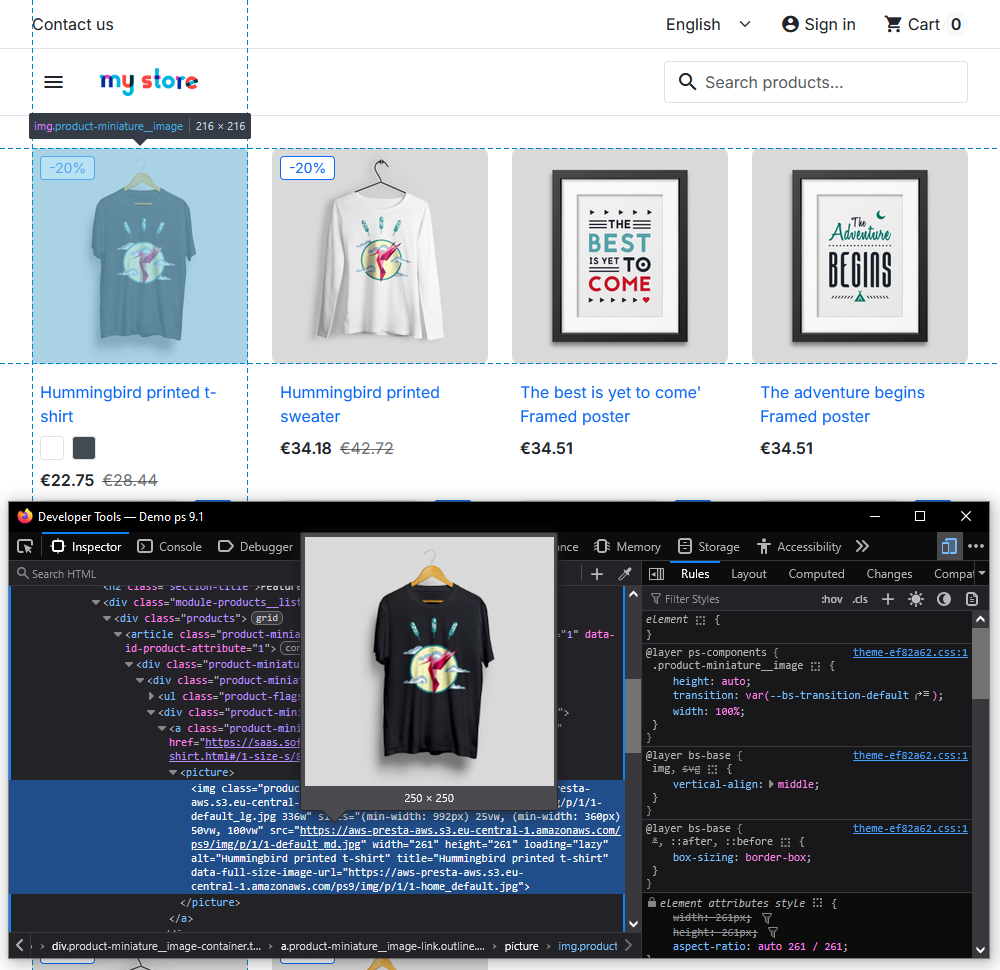
Inspect the rendered storefront and its network requests. Confirm that each offloaded asset points to the intended hostname and that its object key matches the expected path.
Test category thumbnails, product galleries, image zoom, variants, and mobile views. If stylesheets are included, inspect their relative font and background-image references. If scripts are included, test the interactive features that depend on them.
For stores using image optimization or alternate formats, verify the complete rendered image markup. A page can contain several possible image URLs through responsive sources, lazy-loading attributes, or format alternatives. Testing only the first visible image may miss an incomplete migration.
7. Define how new and changed files reach R2
Document every process that creates assets: back-office uploads, imports, supplier feeds, thumbnail regeneration, theme deployments, and third-party Prestashop modules.
Choose a synchronization schedule appropriate to the store publishing frequency. Make sure someone can detect a failed run, identify affected files, and retry safely.
For a large initial transfer, work in manageable batches and verify completion. Cloudflare recommends tools such as rclone or an S3-compatible tool for advanced bulk uploads and mirroring. R2 bucket tooling guidance
Configure caching around the way assets change
The right cache duration depends on the update process. A campaign banner that is overwritten every week has a different freshness requirement from a versioned stylesheet.
Cloudflare caches common static extensions by default, subject to response headers and other conditions. Cache Rules can adjust eligibility and cache behavior. Scope any broad caching rule to the intended public media hostname or asset paths. Cloudflare cache behavior
For immutable, versioned assets, longer cache lifetimes can be useful. When an asset changes, a new URL allows the updated version to be requested independently of the old cached response. For files that keep the same URL, define an appropriate freshness and purge process.
Check how the store implements versioning before changing cache keys. If query parameters distinguish asset versions, ignoring those parameters can cause an old response to be reused unexpectedly.
R2 underlying object operations are strongly consistent, but an already cached copy can remain visible until refreshed or purged. Updating an object and invalidating its cached delivery are separate concerns. R2 consistency model
Choose a process that store staff can follow reliably. A slightly shorter cache lifetime may be more useful than an aggressive policy that repeatedly displays yesterday promotional banner.
CORS and cross-origin assets
When the storefront and media hostname differ, browser requests may require Cross-Origin Resource Sharing configuration, particularly for fonts, JavaScript fetches, and some image-processing uses.
For public read-only assets, this is an illustrative dashboard policy:
[
{
“AllowedOrigins”: [
“https://example.com”,
“https://www.example.com”
],
“AllowedMethods”: [“GET”, “HEAD”],
“AllowedHeaders”: [“*”],
“ExposeHeaders”: [“ETag”],
“MaxAgeSeconds”: 3600
}
]
Replace the example origins with those actually used. Adjust methods and headers to the application requirements. Test CORS with an Origin request header; after changing the policy, refresh or purge cached assets so their response headers update. R2 CORS configuration
CORS controls browser access behavior. It does not make a public object private or replace authenticated access for confidential files.
Migrating an existing store from AWS S3
Treat the migration as a change to files, metadata, and delivery URLs. Copying the photographs is only one part of the work.
Cloudflare Super Slurper can copy objects from supported providers into R2 while preserving custom object metadata and leaving source objects in place. Super Slurper migration documentation
Separately, check the source provider transfer and request pricing before starting, and include those items in the migration budget.
A practical migration sequence is:
- Inventory source objects and record the current URL structure.
- Prepare R2, credentials, public delivery, and cache behavior.
- Copy the selected objects while preserving their intended keys.
- Compare counts and sizes, and verify content integrity using suitable checks rather than assuming every ETag is a universal checksum.
- Test content types, cache headers, representative images, and application behavior.
- Account for assets created or changed during the initial copy.
- Switch delivery in a controlled window and monitor errors.
- Retain the source and a tested rollback path until the new workflow is established.
If the store previously removed local originals, confirm where its complete asset collection now resides. A fresh upload from the application server cannot include files that are absent there.
Keeping local files and planning recovery
Offloading delivery and removing local files are separate decisions. A store can use R2 for public delivery while retaining a local copy for its own operational needs.
Our recommended rollout is to keep local assets initially. Verify image regeneration, imports, exports, product editing, and theme behavior before assessing whether local copies can be removed.
For every workflow, identify its source of truth. Does regeneration read an original on hosting? Can a supplier import overwrite a newer image? Can an administrator restore a deleted photograph without recovering the whole store?
Maintain a backup strategy that protects against accidental deletion and unwanted changes. A second live copy that immediately mirrors deletions may not provide the recovery history the business needs.
Rehearse a rollback as well. Restoring local URLs is useful only if the required local files are present. Restoring files is useful only if the store paths and references remain correct.
Security and operational controls
Public product photographs belong in a different access model from invoices, customer records, and paid downloads. Keep those categories separate when designing buckets and integration rules.
For a public media deployment, our recommended controls are:
- Scope credentials to the required bucket and operations.
- Keep staging and production access separate.
- Assign responsibility for credentials, DNS, billing, and incident response.
- Monitor usage and investigate unexpected growth in reads, writes, or storage.
- Document deletion, restore, and credential replacement procedures.
- Verify that alternate public endpoints do not bypass access restrictions placed on the main hostname.
Cloudflare specifically notes that an enabled public r2.dev endpoint remains another route to a bucket even when controls are applied to a custom domain. Review that setting when designing access restrictions. R2 public access guidance
These controls should fit the actual store. A clear, maintainable setup is preferable to a collection of rules that nobody can explain during an outage.
How to measure the result
Compare the migrated store with its baseline under similar device, network, page, and geographic conditions. Run repeated tests, and distinguish a first request from a cache-warmed request.
Inspect response headers as well as visual appearance. Cloudflare CF-Cache-Status reports whether a response was a cache hit, miss, or subject to other behavior. A miss can be normal for a first request; repeated unexpected bypasses merit investigation. Cloudflare cache response statuses
Useful measurements include:
| Area | What to compare |
| Delivery | Asset latency, transfer size, errors, and cache behavior |
| Application | HTML response time and behavior during comparable traffic |
| Store operations | Uploads, imports, regeneration, and deployment completion |
| User experience | Key page loading metrics and functional browsing tests |
| Costs | Hosting usage, R2 storage, operations, and additional services |
Largest Contentful Paint can be relevant when a product photograph is the page largest visible element. However, LCP also depends on the initial response, discovery of the resource, and rendering delays. Faster image delivery addresses only part of that chain. Google guidance on optimizing LCP
Keep image dimensions, compression, responsive sizing, and loading priority under review. Moving an oversized photograph to a different server does not reduce the amount of image data the visitor must download.
Preserving image discoverability
A media migration should preserve meaningful alt text, descriptive context, valid image markup, and publicly accessible image URLs. Google image guidance also recommends consistent image URLs and supports using a CDN. Review image references in sitemaps and structured data when changing hosts. Google image SEO guidance
Before launch, crawl a representative set of pages and compare their image references with the intended destination. After launch, review broken-image reports and search monitoring rather than assuming that every reference was covered by the visible storefront tests.
The goal is continuity: customers and crawlers should still reach the correct photographs in the correct product context.
Common implementation problems
An object exists but the storefront shows a broken image
Compare the exact browser URL with the object key and public hostname. Check letter case, path prefixes, HTTPS status, and whether the object was uploaded before its URL was published. If an error response was cached, refresh the relevant cache after correcting the underlying issue.
A new upload works but regenerated thumbnails are missing
Review the regeneration process separately from the original upload. Confirm that it has access to its source image and that all newly generated files are included in synchronization.
Fonts or scripts fail after moving stylesheets
Inspect relative paths, response content types, browser console messages, and cross-origin requirements. A stylesheet can load successfully while one of its dependencies fails.
Visitors still see an old image
Check the URL version, browser cache, edge cache, and purge procedure. Confirm that the replacement reached the intended object key before changing cache settings.
The store is still slow
Return to the measurements. Slow page generation, heavy scripts, third-party widgets, and oversized images require their own investigation. Evaluate whether the migrated asset was actually the limiting factor.
Frequently asked questions
Does using Cloudflare DNS already mean the images are stored in R2?
No. DNS, proxying, caching, and object storage are different services. Confirm the origin of the media and the presence of the objects in the intended bucket.
Should every store move CSS and JavaScript immediately?
We recommend a staged approach. Start with a representative image collection, verify daily operations, and expand only when the deployment and cache processes are understood.
Can R2 replace PrestaShop hosting?
The store still needs an environment that runs its application and database. In this architecture, R2 supplies object storage for selected files.
Will the storefront work if the application server is unavailable?
Independently hosted media may remain retrievable, but product pages, account functions, carts, and checkout still depend on the application infrastructure.
Is every S3 workflow transferable without changes?
Verify the actual feature set and configuration. Endpoint changes alone are not sufficient evidence that a workflow is compatible.
When is the project most worthwhile?
It is worth evaluating when a store has a substantial public media library, significant delivery traffic, hosting constraints, or a planned infrastructure migration. Use measured costs and workload requirements to decide.
Plan your PrestaShop media setup with SoftSprint
Cloudflare R2 gives PrestaShop merchants another way to manage public media storage and delivery. A useful implementation combines the right integration with stable URLs, sensible caching, reliable synchronization, and a recovery process the team can operate.
Explore the SoftSprint Amazon AWS S3 CDN & Cloudflare R2 media server module or contact SoftSprint to discuss your catalog, current hosting, and migration requirements.
Amazon AWS S3 CDN & Cloudflare R2 media server – PrestaShop module